A free, open-source network troubleshooting toolkit for system administrators: ping, traceroute, port and network scanner, DNS, TLS, SNMP, Wi-Fi and more. Every test starts from your own PC, with results that come as a clear list of verdicts, not a wall of raw output.
Windows 10 / 11, 64 bitFree and open sourceApache 2.0
your PC172.16.0.25
1 ms
gateway172.16.0.1
12 ms
Internetreachable
What is inside
Twenty network troubleshooting tools, one window
The everyday toolbox of a network administrator, with the depth you would normally get from several separate programs.
Diagnostics
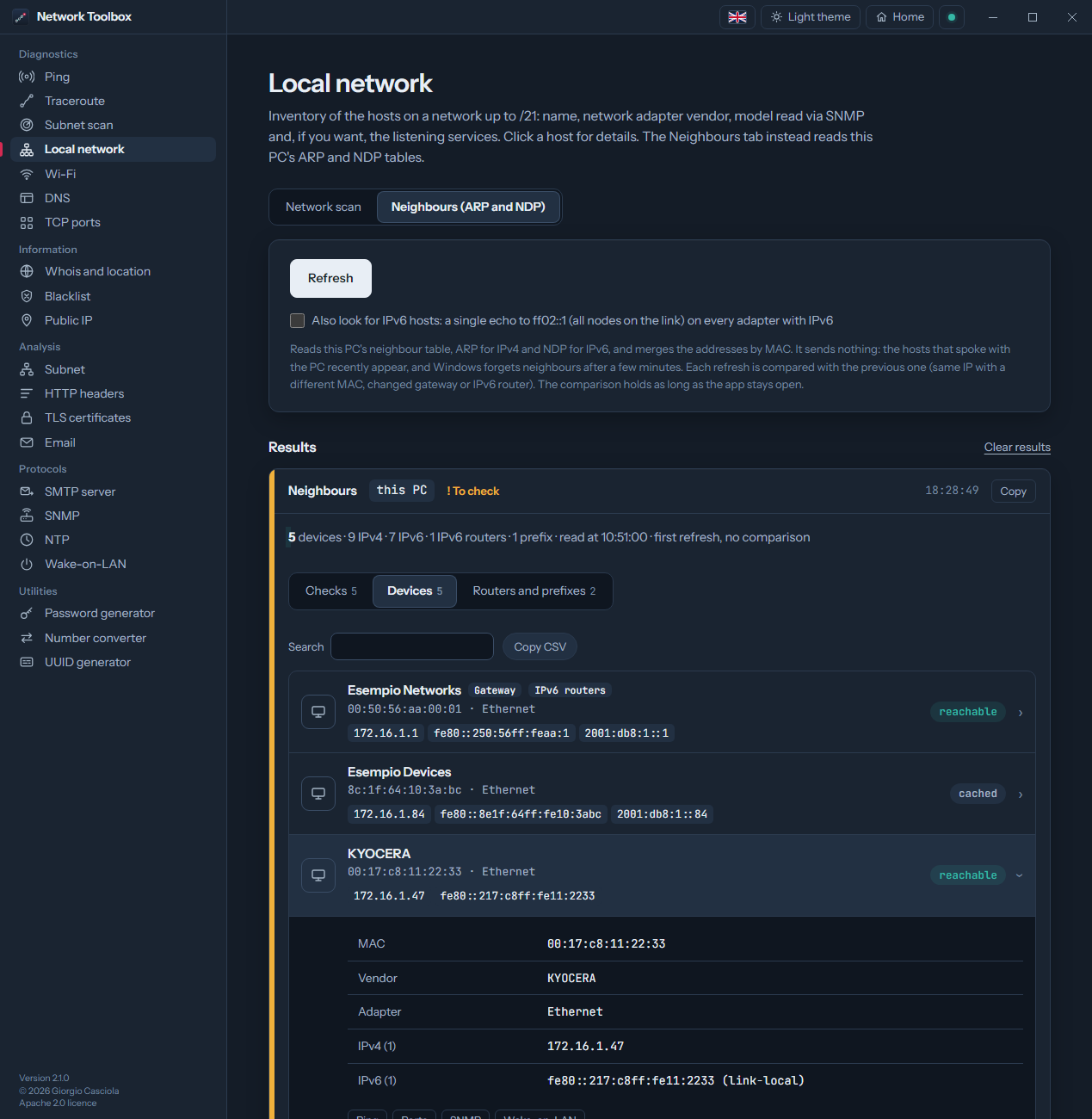
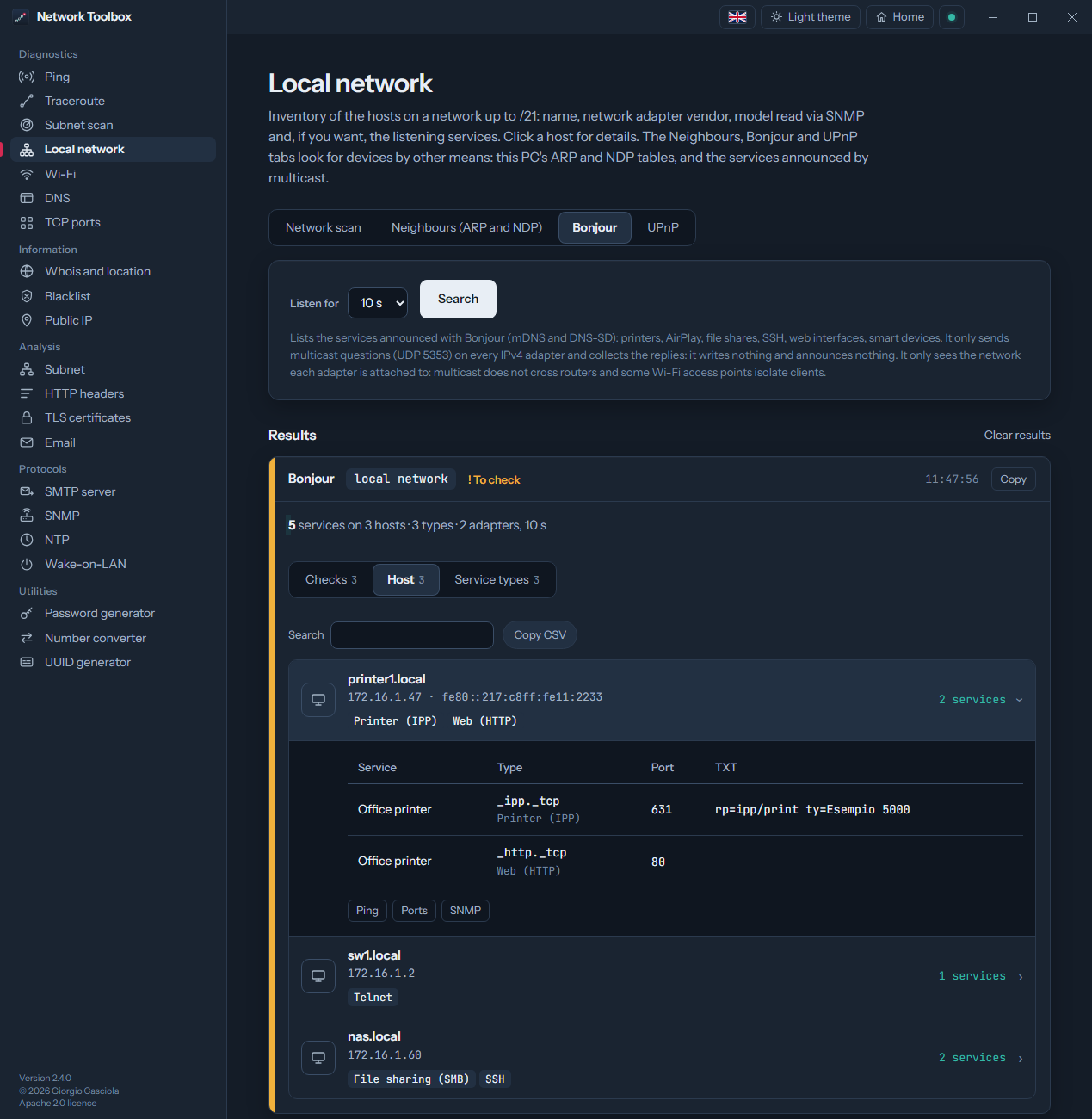
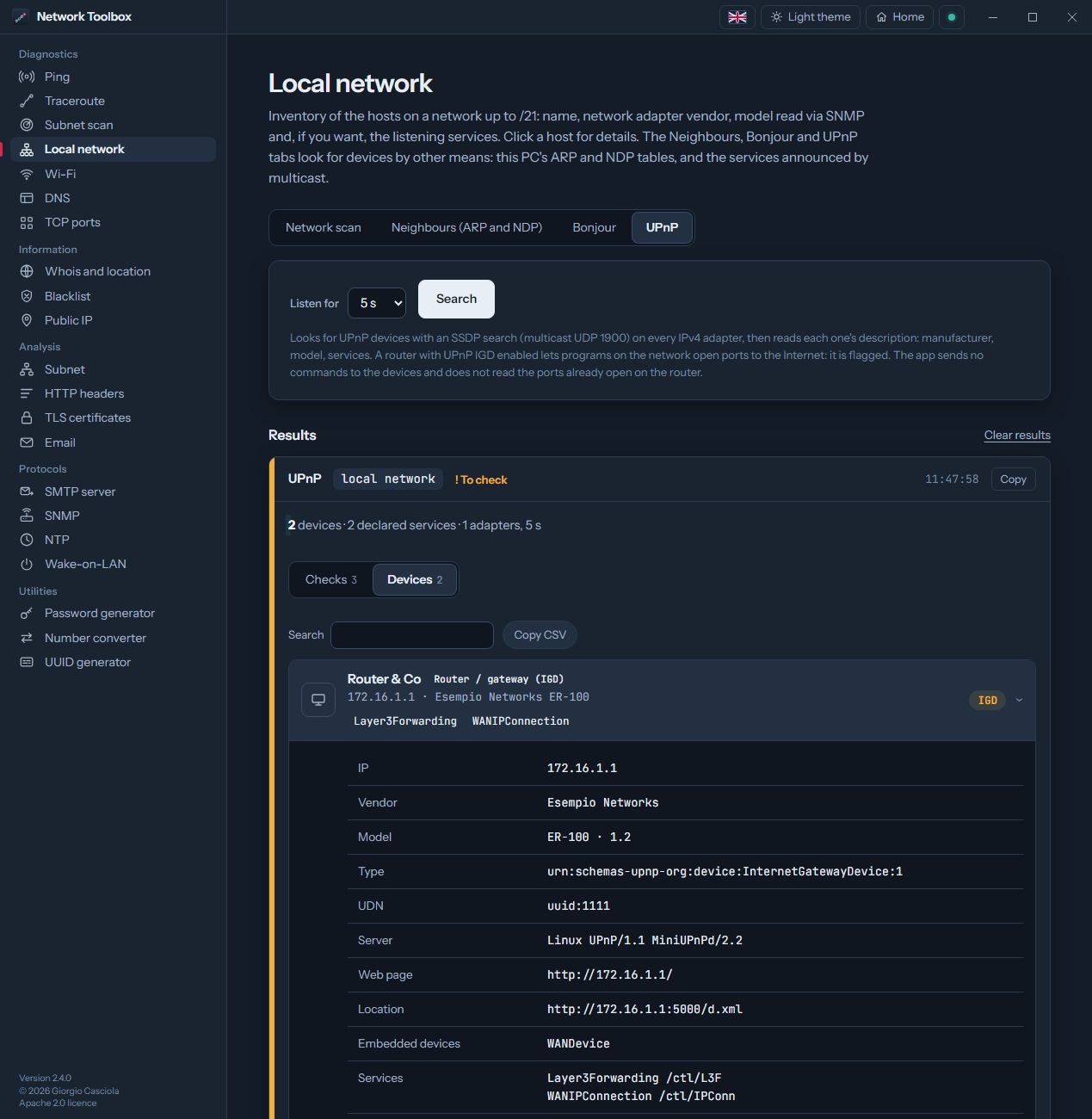
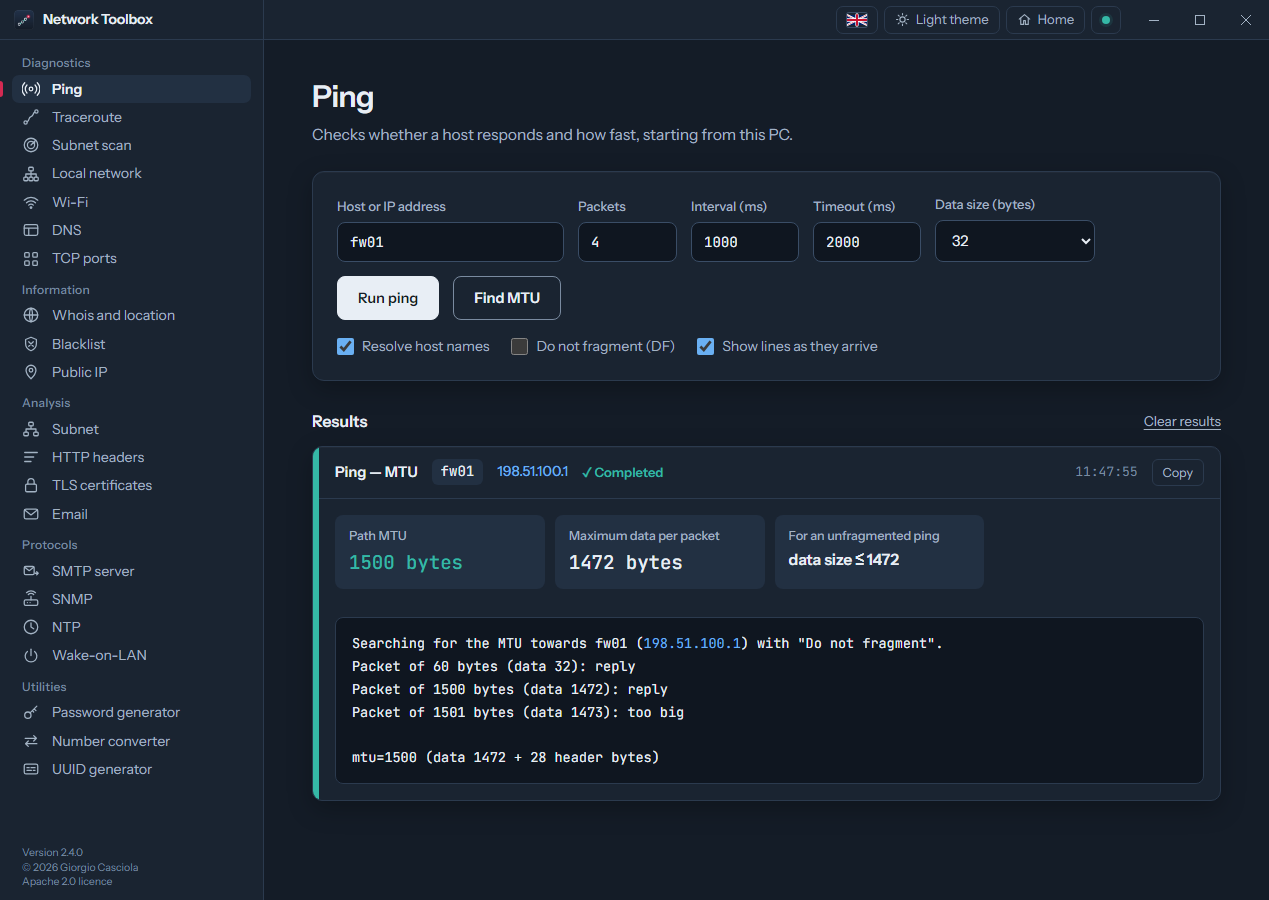
Live ping with selectable packet size, “Do not fragment” and path MTU discovery, traceroute with host names, a fast subnet scan and a TCP port scanner. Local network adds an inventory up to /21 (name, vendor, SNMP model, device type, services), the ARP/NDP tables of the PC, a Bonjour browser and a UPnP scan.
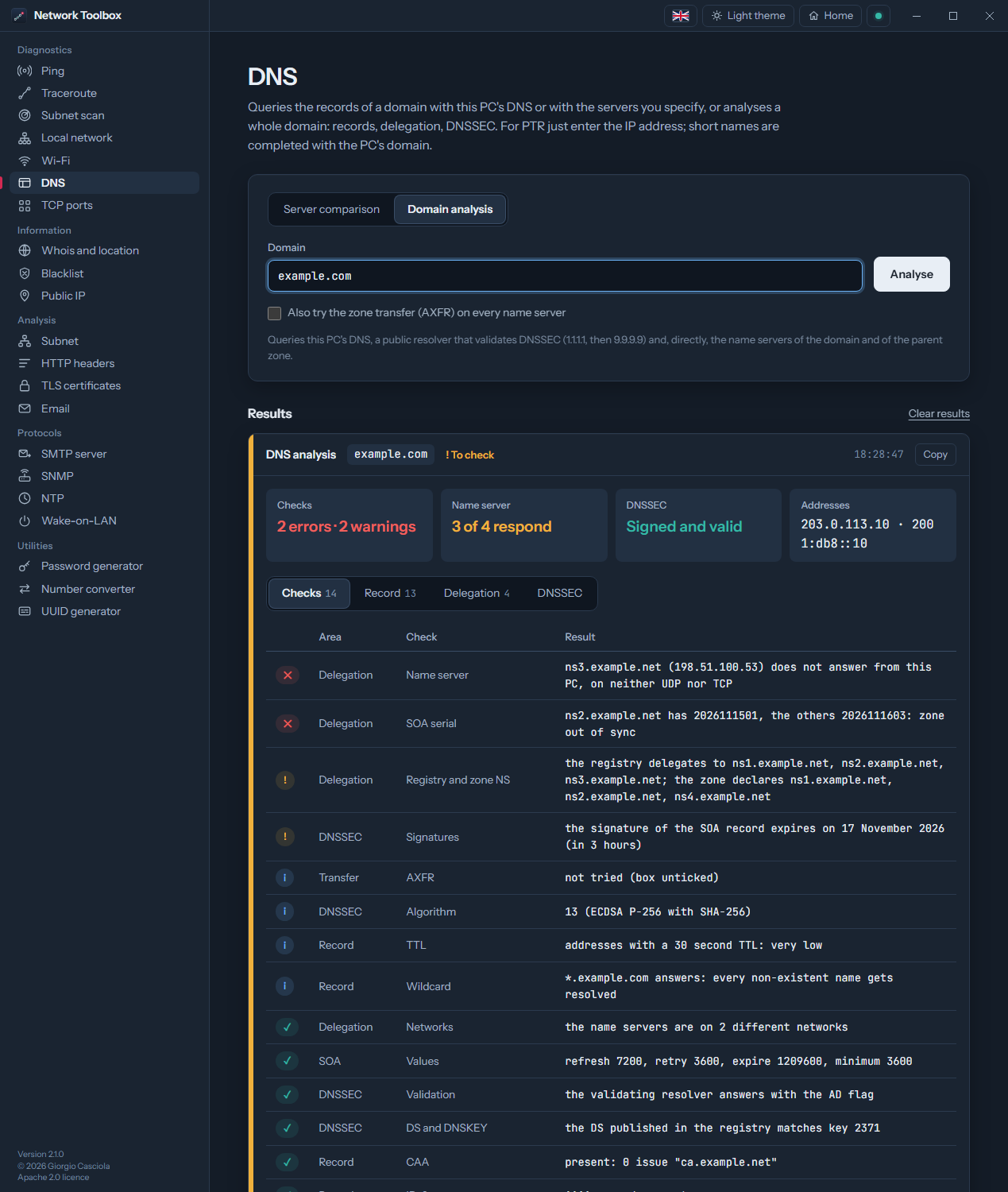
Compare the answers of several servers side by side, or analyse a whole domain: delegation, SOA, name server health, DNSSEC chain and zone consistency.
Compare serversDelegationDNSSEC
TLS and HTTP security
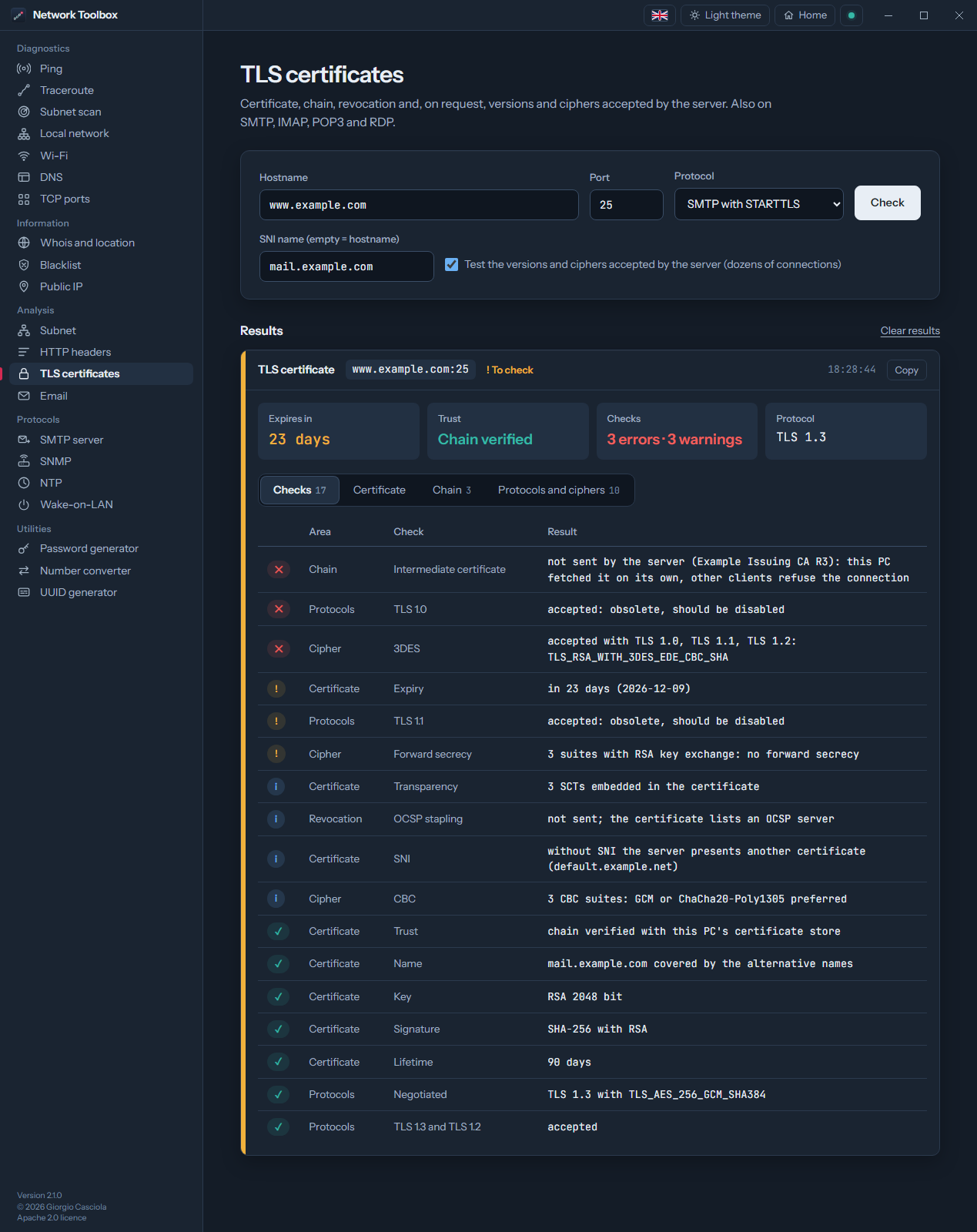
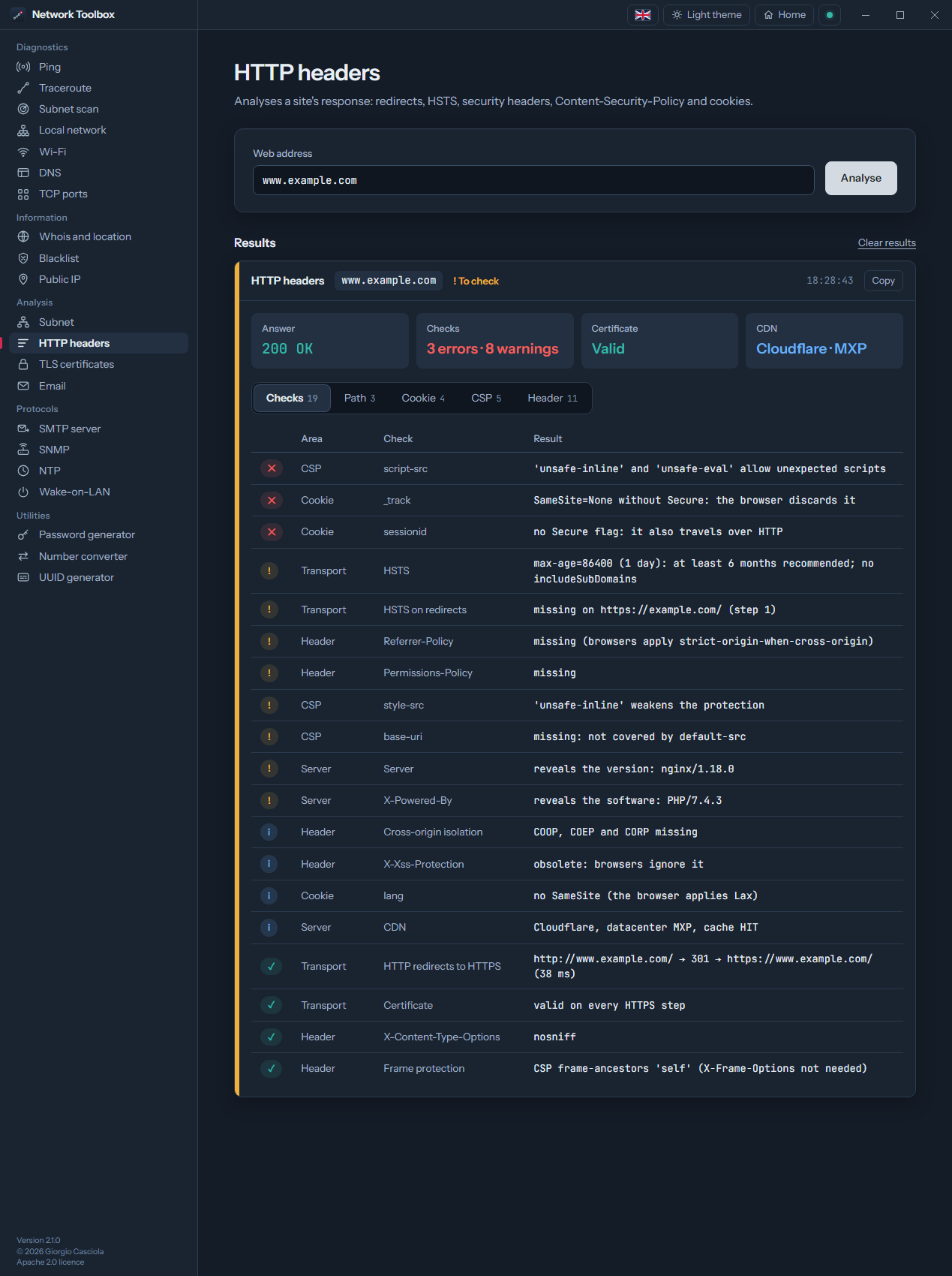
Certificate details and chain, revocation info, accepted protocol versions and cipher suites, STARTTLS for SMTP, IMAP, POP3 and RDP. HTTP headers analysed as a security review: redirects, HSTS, CSP, cookies, CDN.
CertificatesCiphersHTTP headers
Email
SPF evaluated with the full lookup tree and the 10-lookup limit, DMARC, DKIM keys, MTA-STS and TLS-RPT. Two tabs: check the records of a domain, or paste a message header to follow its path, delays and authentication results.
SPFDMARCDKIMHeader analysis
SNMP tool
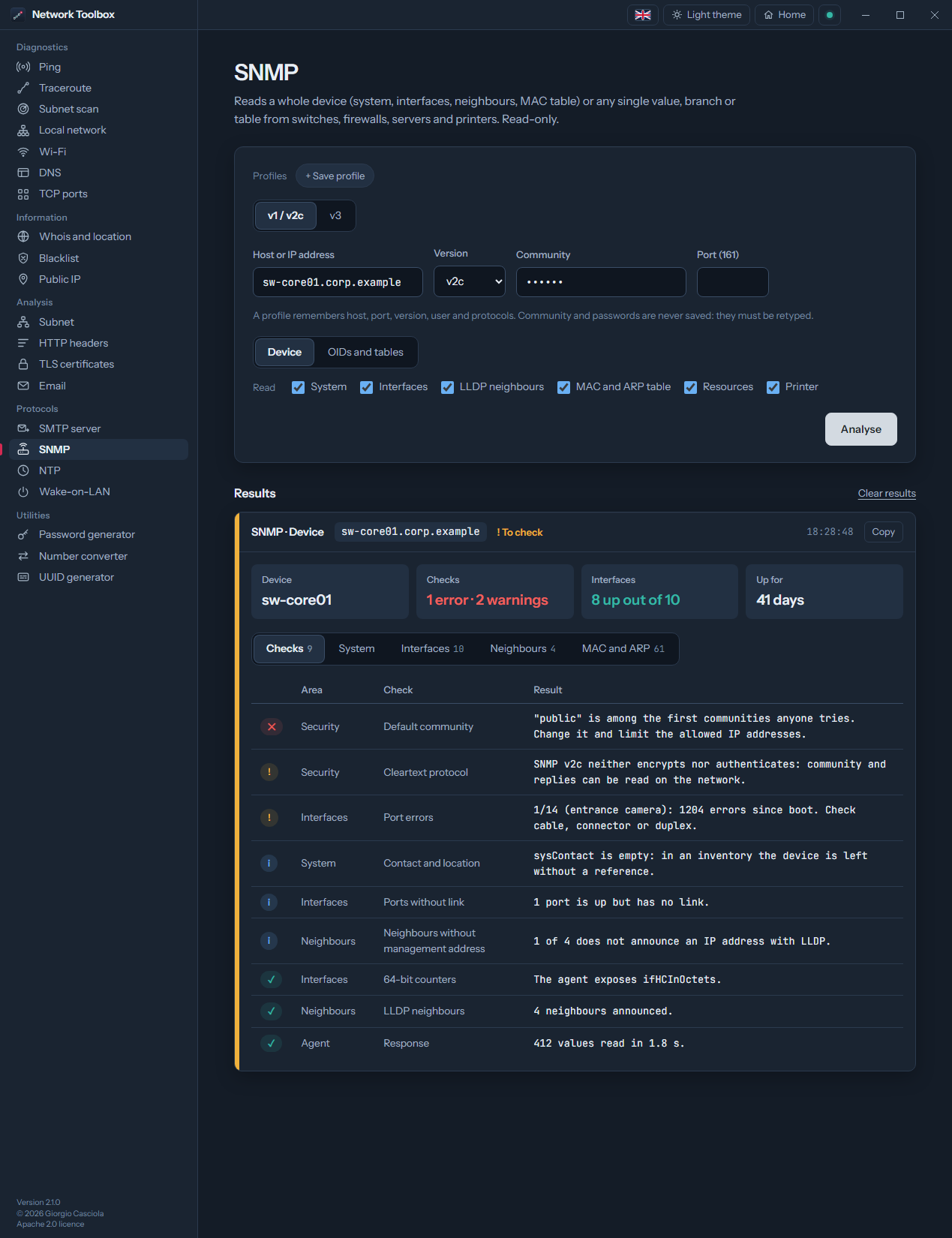
Read-only v1, v2c and v3. Device overview, interfaces, LLDP neighbours, MAC and ARP tables, host resources, printer supplies and live counters. The app never sends a SET request.
v1 / v2c / v3LLDPPrintersLive rates
Wi-Fi
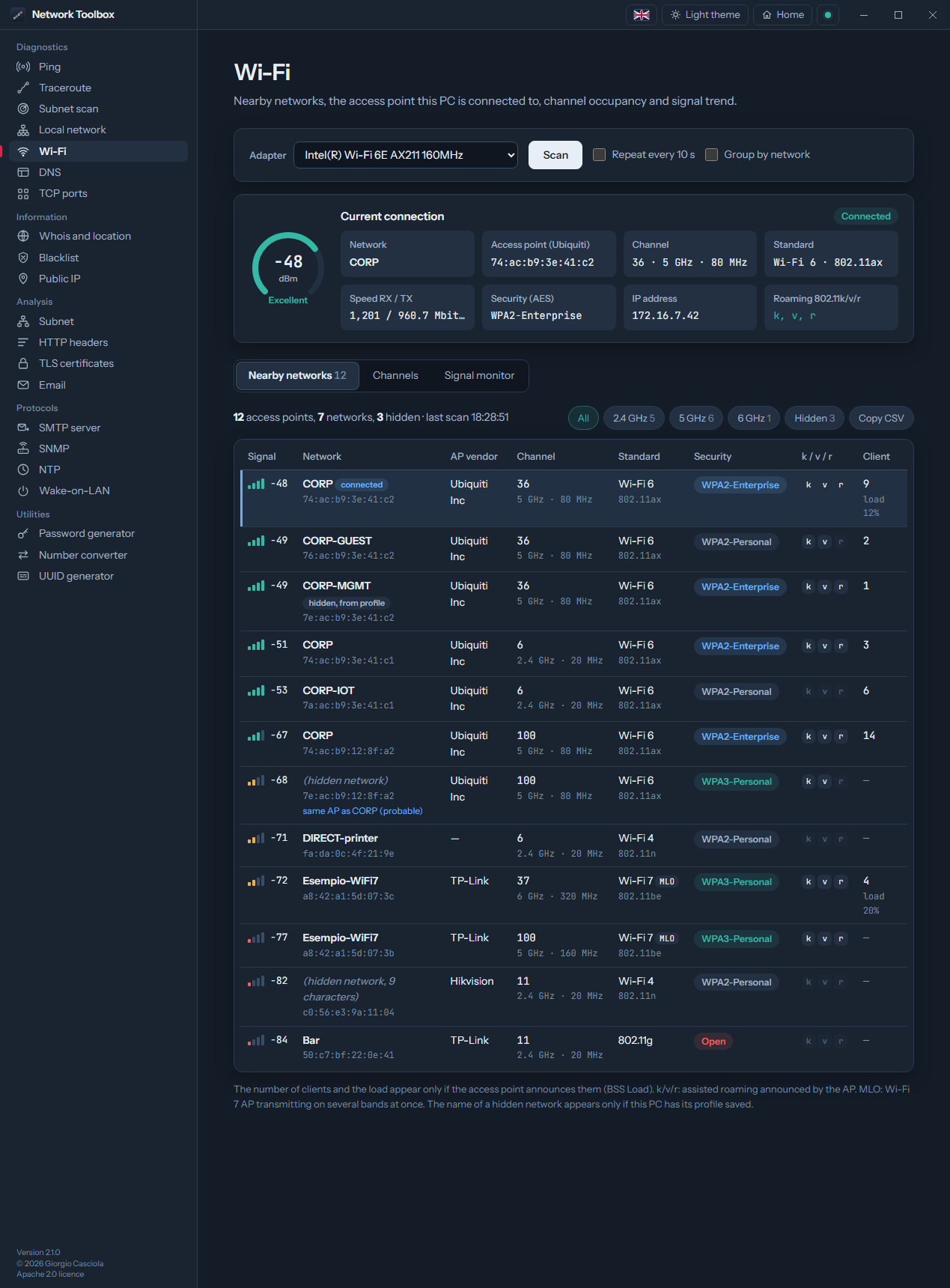
Nearby networks with channel, width, standard and security, channel recommendations, and a signal monitor that records roaming and drops.
ChannelsSignal monitor2.4 / 5 / 6 GHz
Information
Whois and location, blacklist (DNSBL) lookup, public IP, subnet calculator, SMTP server test, NTP and Wake-on-LAN.
WhoisBlacklistSubnetSMTPNTPWoL
Utilities
Password generator with exact entropy, number converter for decimal, hex, binary and dotted IPs, and a UUID generator. All local; secrets never touch the clipboard history.
PasswordsConverterUUID
Results you can act on
Verdicts, not just output
The analysis tools do the reading for you. Every finding is a check with a status and a one-line explanation, sorted by severity so the problem is at the top.
Errors first. Failures, then warnings, then information, then what passed.
Copy or export. Copy a whole result as text, or export tables as CSV.
Streaming. Hosts, ports and hops appear as they are found, and Stop ends a test at once.
Light and dark. Both themes, plus an Italian and an English interface.
TLS certificate www.example.com:25Needs attention
✕ChainIntermediate certificate not sent by the server; this PC fetched it on its own.
✕ProtocolsTLS 1.0 accepted: obsolete, should be disabled.
!CertificateExpires in 23 days.
!Ciphers3 suites with RSA key exchange: no forward secrecy.
iRevocationOCSP stapling not sent.
✓CertificateRSA 2048 bit, SHA-256 with RSA, name covered.
✓ProtocolsTLS 1.3 negotiated.
See it
The interface
A frameless window with the tools in a side menu. Screenshots show the English interface with sample data and reserved example names and addresses.
Network Toolbox
TLS certificates: chain, revocation, accepted versions and ciphers.
Network Toolbox
DNS domain analysis: delegation, SOA, name servers and DNSSEC.
Network Toolbox
SNMP device view: system, interfaces, neighbours and checks.
Network Toolbox
Local network, Neighbours tab: the ARP and NDP tables of the PC.
Network Toolbox
Local network, Bonjour: services announced on the network, grouped by host.
Network Toolbox
Local network, UPnP: devices found with SSDP, with manufacturer, model and services.
Network Toolbox
Ping, Find MTU: the largest packet the path carries without fragmenting.
Network Toolbox
Wi-Fi: nearby networks, channels and recommendations.
Network Toolbox
HTTP headers analysed as a security review.
Built to be trusted
Open-source network tools: nothing leaves your PC except the tests you run
No telemetry
No server component, no analytics, no update check. The author never receives any data.
Tests start from your PC
Probes go from this machine to the targets you enter, only when you press the button. No cloud relay in between.
Read-only SNMP
The app only reads. It never sends SET requests, and community strings and passwords are never saved.
Quiet discovery
Bonjour and UPnP only send multicast questions: no commands to devices, and the router's port mappings are never read. Stop keeps what was found so far.
Open source
Rust and Tauri 2, Apache License 2.0. Read the code, build it yourself, check the SHA-256 of every download.
The only traffic not started by a tool is on the Home screen: a ping to public DNS addresses to show Internet reachability and, while that view is open, a request to ipinfo.io for your public IP.
Get it
Download Network Toolbox for Windows
Windows 10 or 11, 64 bit, with the WebView2 runtime (already present on current Windows versions).
Installer
The .msi package (recommended) or the -setup.exe. Installs the app and adds a Start menu shortcut.
Check the download against SHA256SUMS.txt on the release page: Get-FileHash .\NetworkToolbox.msi -Algorithm SHA256
The binaries are not code-signed. Windows SmartScreen may show "Windows protected your PC" and some endpoint protection products may hold back the first run of the scanning tools. Verify the hash, or build the program yourself.
Responsible use. Subnet scan, Local network, TCP ports, SNMP, SMTP and TLS send real traffic, and security products will record it. Use them only on networks and hosts you own or are authorised to test.
 Network Toolbox